
Drive Matchups
External SSD vs Internal HDD: Which Is Better?
External SSD vs internal HDD: compare speed, capacity, portability and use, then choose the drive that fits how you store and move your files.
We compare portable SSDs and external hard drives from Samsung, SanDisk, Seagate, WD, LaCie and others by capacity, speed, cable and toughness. Start with what you want to store, or with the backup question on your mind.
External SSD vs internal HDD: compare speed, capacity, portability and use, then choose the drive that fits how you store and move your files.

Can I boot from an external SSD? Yes, on most modern PCs and Intel Macs. Here is how it works, what hardware you need, and what blocks it.

The best portable external hard drive for laptop use, compared by capacity, interface and size. See which drive fits your backup and storage needs.
Find the best external SSD for laptop use: compare USB speeds, capacity and rugged drives so you can pick the right fit for your laptop and your work.
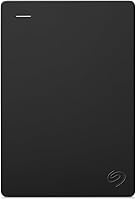
Can an external hard drive be fixed? Often yes, if the fault is the cable, port or file system. Learn what you can repair and when data is at risk.
What to look for in an external SSD: speed, interface, capacity, rugged rating and encryption. A plain guide to picking the right drive first time.

Crucial X9 1TB Portable SSD review: speed, IP55 durability, USB-C compatibility and where the drive fits, plus Sandisk and Samsung alternatives.

WD Elements vs Easystore: compare speed, size and everyday use, then pick the WD drive that fits your backup, travel or archive plans.
Learn how to use an external hard drive on a PC: plug it in, format it for Windows, copy and back up files, and eject it safely before unplugging.